
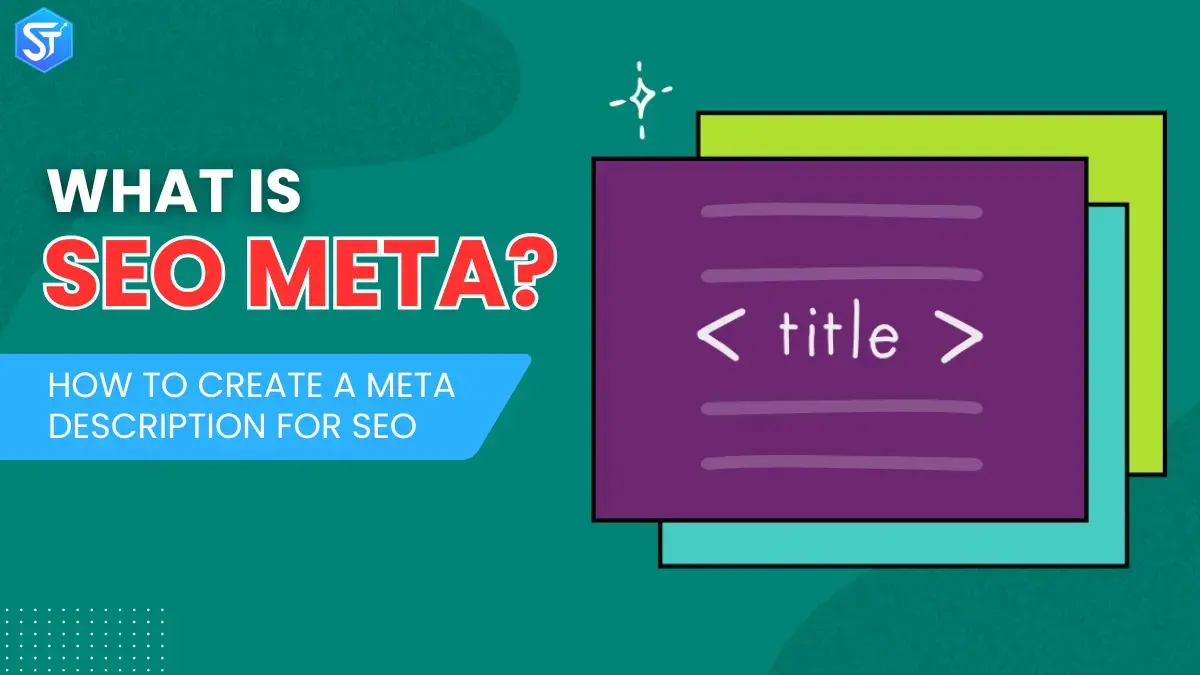
A meta description is a short line of content that appears below your page title in search engine results pages (SERPs). It doesn’t serve as a direct ranking factor in Google’s algorithm, but it plays an important role in improving click-through rates, building credibility, and increasing user engagement. A clear and meaningful meta description helps readers quickly understand what your page offers, matches their search intent, and encourages them to click on your link instead of another result. For meta verified platforms or profiles, having accurate descriptions can further strengthen trust and credibility.
And yes – the difference is measurable. As highlighted by Back link, writing custom meta descriptions can improve click-through rates by up to 5.8% – even if your page ranking remains the same. That means more traffic, better performance, and a stronger online presence with just a few well-written lines.
In this guide, you’ll discover what a meta description is, why it’s important for SEO, how it works, and how to write and optimize it in a way that really helps your search performance.
What is a meta description?
Technically, meta descriptions are a type of metadata – HTML attributes that provide context about a page and its title on the web. Simply put, they are a brief summary of a webpage.
You’ll see them below clickable blue links on search engine results pages (SERPs).
They show visitors what your page is about before they decide to click. Think of them as movie previews – a short snippet designed to grab attention and encourage people to explore your site.
What makes a good meta description?
1. Keep it around 155 characters
There’s no hard and fast rule for length; it depends on the message you want to convey. Use enough space to communicate clearly, but keep it concise and engaging. When you look at Google search results, most snippets appear between 120-156 characters. Google allows longer meta descriptions, but what appears in the SERPs is usually around 155 characters – anything longer will be truncated.
Remember, you can’t completely control what Google displays. Sometimes it uses your meta description, sometimes it pulls text from your page or generates it itself. Keeping it short ensures that your description won’t be truncated if Google decides to use it.
2. Write in the active voice and make it engaging
Think of the meta description as an invitation to visit your page. Focus on your user and their likely reason for clicking. Avoid dull, confusing, or vague descriptions. Be clear about what users will see on your page.
The ideal description speaks directly to the reader, is proactive, and articulates the benefit. Users should immediately understand what they will get by clicking.
3. Add a call-to-action
Meta descriptions act like mini sales copy. Phrases like “Learn more,” “Try now,” or “Get it today” encourage users to click. Highlight what the page offers and encourage them to take action.
4. Include your main keyword
When your focus keyword appears in the meta description, Google will show it and highlight it in search results. Highlighted keywords or synonyms grab attention and make your listing more appealing.
5. Highlight specifications when relevant
If your page has a product, include important details like the brand, model, SKU, or price. Tech-savvy users often look for these specifics, and it saves them time explaining them. Rich snippets can also help make this information stand out.
6. Make sure it reflects the page content
Never mislead users just to get clicks. Google can penalize misleading meta descriptions, and users will leave quickly, increasing bounce rates and reducing trust. A description that accurately represents the page creates better engagement.
7. Make each description unique
Avoid duplicate meta descriptions across pages. Even if the titles are different, similar descriptions confuse users and hurt the experience. If necessary, leave them blank — Google will pick up relevant text from the page. However, creating a unique description for each page is always the best approach.
Read Next: What Is a Crawl Budget? Tips To Optimize Crawl Budget for SEO
How to Write Meta Descriptions for SEO?
To create a meta description, you need to merge technical standards (appropriate length, strategic keyword placement, proper formatting) with creative writing (clear benefits, emotional appeal, efficient words).
Simply put, a meta description comes in the <head> section of a webpage’s HTML. It follows a simple format that search engines can easily read:
Meta Description – How to Write
<head> <meta name=”description” content=”The meta description clearly explains the content of the page.”> </head>
Two parts are required: name=”description” and content=”…”. Once you open the <meta> tag, you don’t need the closing tag – it stands alone.
Most of the time, you don’t need to touch raw HTML. Popular CMS platforms like WordPress, Shopify, or Wix, along with SEO tools like Yoast SEO or Rank Math, allow you to easily add and edit meta descriptions without coding.
Key points to remember when writing a meta description:
Character length
Keep it between 150-155 characters (including spaces). Google sometimes shows up to 160 characters, but a few short descriptions ensure that your message isn’t cut off.
If your meta description goes over the limit, Google will shorten it with “…”. This doesn’t directly affect your rankings but the snippet may look incomplete, and half-complete snippets may attract fewer clicks.
Check Also: Top 10 Google Ranking Factors: You Need to Know in 2026
Clear structure
Write a complete, natural sentence – don’t just throw in keywords. Both search engines and users prefer descriptions that are easy to read and genuinely helpful.
Use relevant keywords
Add your main keyword naturally. When a user’s search matches part of your meta description, Google highlights it in bold, making your snippet more noticeable.
Add a call to action (CTA)
Include phrases like “Learn more,” “Shop now,” “Get started today,” or “Find out how” to gently encourage users to click on your snippet over others.
Some marketers use symbols like ✅ or \u2728 to grab attention. Be careful:
- Unicode symbols often count as multiple characters (sometimes 5+).
- Google may not display all symbols correctly – test before relying on them.
- Use them sparingly. Too many symbols can make your snippet look spammy rather than polished.
Meta descriptions may seem small, but they play a big role in determining whether users click on your page or a competitor’s page.
How are meta tags and metadata different from normal website content?
Meta tags and metadata may sound similar, but they are not actually the same. Meta tags are small pieces of HTML code that provide details about a webpage to search engines and sometimes users. These tags are placed in the body of a webpage and are not visible when someone visits the site.
However, metadata is information that explains other information. It helps to give meaning and context to the data. Metadata can exist in many forms, such as written text, images, videos, or sound files.
There are different types of meta tags, such as:
- Title tags: These are very important meta tags. They give a brief idea of what the page is about. Title tags appear in search engine results and help people know whether the page matches what they are looking for or not.
- Description tags: These tags explain the page in a little more detail. Search engines use them to understand what the page is about, and they often appear under the title in search results.
- Keywords tags: These tags contain words or phrases related to the topic of the page. They help search engines understand what the page is about.
- Robots tags: These tags tell search engines what to do with the page. They can tell whether the page should be included in search results or not, and they can also tell which links to follow or ignore.
Conclusion
Meta descriptions play an important yet often overlooked role in SEO – even if you don’t have full control over them. They act as mini-advertisements for your content in search results, impacting click-through rates and audience engagement. Writing clear, compelling, and keyword-focused meta descriptions can greatly increase your online presence. This, in turn, can drive more relevant traffic to your website. While meta descriptions can’t directly change your rankings, their impact on clicks and conversions is clear.
A strong meta description isn’t just about SEO; it’s about giving users a better experience by showing them a concise, specific glimpse of what your page has to offer. Sure, Google may decide to show something different, but that doesn’t mean you shouldn’t try to make it compelling!
Also Read: Search Engine Positioning: Best Tips For Increasing Rankings