
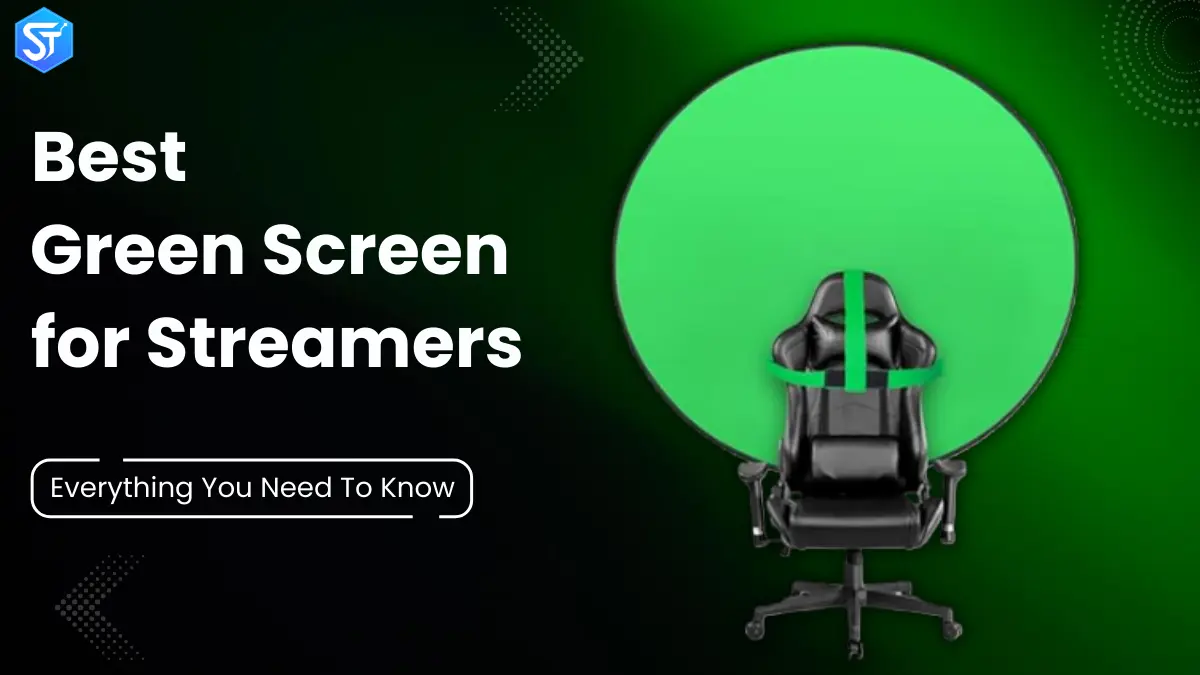
With a green screen and virtual backdrop, you can stream from anywhere and your viewers won’t have to worry about being trapped in your messy room or storage corner.
In this buying guide, we share simple information about green screens, why you might need one, and how to choose the best green screen for your streams. We also list our top green screen backdrops.
What is a Green Screen?
A green screen is a large green background that helps you add any scene or location behind a person or product in a photo or video. The bright green color keeps the camera focused only on the main subject, so you can easily place a new background during editing. This works through a simple method called chroma keying.
Green screens are common in product photos, commercials, movies, TV shows, and many other creative projects.
How Does a Green Screen Work?
Broadcast studios, news channels, and content creators use a green or blue screen as a simple backdrop. This backdrop helps them change how their setup looks on screen. Green screen software detects the green or blue color in the video and replaces it with any image or video they choose.
Why do people use a green or blue screen? The reason is simple – green and blue do not match natural skin tones. Because of this, the software can easily remove these colors without damaging the face or body. This method helps creators add cool effects and beautiful backgrounds that keep the audience interested.
How Do You Choose a Green Screen?
A green screen doesn’t have to be expensive, but don’t buy the cheapest screen. There are a few important things to consider before choosing one.
1.Size:
The right size for your green screen depends on your camera. First, decide how far away the camera is from you and the background. The farther away the camera is, the more visible the green screen will be. The angle of view of the camera also helps you choose the right size for your green screen.
2.Material:
Your green screen shouldn’t be shiny or reflective. Muslin works well because it has a matte finish and is easy to clean. But muslin can be difficult to store because it gets wrinkles and creases. Spandex and nylon also work well because they stretch and avoid wrinkles. But they reflect more light than muslin.
3.Stand:
You’ll need a stand for your screen – or you can buy a screen that clips onto your desk chair. The stand should be sturdy so that it holds the green screen firmly and doesn’t wrinkle. Some green screens come with a stand, while others don’t.
4.Portability:
If you plan on packing your screen away when you’re not using it, you’ll want a screen that’s easy to store. Some screens come with a carrying case, and some fold up to save space.
5.Price:
You can get a green screen for around $50, and some cost more or less. But a higher price doesn’t always mean better quality. Choose a green screen that suits your streaming needs and check it out using the points above.
Best Green Screens For Streaming
Any of these seven background screens will work well for streamers of any level. Some are more expensive than others, and some are for photographers, but they still work well for live creators.
1.Elgato Collapsible Chroma Key Panel
If you want a large green screen that stores quickly, the Elgato Collapsible Chroma Key Panel is a safe choice. You pull it up, lock it with the X-frame, and set it up the way you want. The material stays smooth and doesn’t wrinkle. When you’re done streaming, you slide it into its case and put it away.
- Dimensions: 58.27 x 70.87 inches / 148 x 180 cm.
- Weight: 20.5 pounds / 9.3 kg
- Material: 100% polyester
Pros:
- Very portable
- Easy setup
- Non-reflective and wrinkle-free
- Built-in X-frame
Cons:
- A little heavy
- Case clips feel flimsy
Price:
- $159
2.EMART Green Screen
If you want high-level portability and quick setup, the EMART Green Screen is a great choice. Its carrying case doubles as a stand, and the legs open up to hold it up. You simply lift the screen and lock it at the desired height. It sets up in seconds. The screen uses quality materials, and the price reflects that.
- Dimensions: 61.02 x 72.44 inches / 154.99 x 184 cm.
- Weight: 19.6 lbs / 8.89 kg
- Material: Muslin
Pros
- Very quick to set up
- Non-reflective
- Great for streamers and creators
Cons
- Frame feels less sturdy
Price:
- $138
3.Webaround Big Shot Office Chair Green Screen
The Webaround Big Shot Office Chair Green Screen is a fun option for those who sit while streaming. It’s a large round screen that slides over your chair and creates a clean green backdrop behind you. It comes in a variety of colors and sizes. It folds up and fits into a small carrying bag.
- Dimensions: 56 inches / 142.24 cm (diameter)
- Weight: 1.8 pounds / 816 grams
- Material: Polyester
Pros:
- Lightweight and portable
- Great for small studios
- Material stays tight
Cons:
- It moves when you move
- Cover a small area behind you
Price:
- $48
4.New Chromakey Double-Sided Backdrop
If you want two color options, the new Chromakey Double-Sided Backdrop is a solid choice. One side is green, and the other is blue. It folds into a disc for easy carrying and storage. You’ll need a separate stand to hang it.
- Dimensions (expanded): 5 x 6.6 ft / 150 x 200 cm
- Dimensions (unfolded): 24.8 in / 63 cm
- Weight: 17.31 oz / 490.73 g
- Material: Muslin
Pros:
- Sturdy metal frame
- Two color options
- Smooth and wrinkle-free
- Foldable with carrying bag
Cons:
- Stand not included
- Requires practice to fold
Price:
- $49
Read More: 10 Ways To Promote Your Live Streams (To Reach New Viewers)
5.Limostudio Green Backdrop
The Limostudio Green Muslin Backdrop is one of the cheapest options here, so it’s a good option if you’re on a budget. It doesn’t include a stand. You get a stitched loop to hang it on a rod and clips to keep it in place.
- Dimensions: 6 x 9 ft. / 182.88 x 274.32 cm.
- Material: Polyester
- Weight: 1.25 lbs. / 0.57 kg.
Pros:
- Machine washable and easy to iron
- Comes in large sizes
Cons:
- Wrinkles easily and requires ironing
- No stand included
Price:
- $27
6.New Green Screen Kit
The new green screen kit is great if you don’t have lighting gear. It includes two screen sizes, a light stand, a bulb, a white umbrella, a softbox, clamps, a background stand, and a carrying bag. You get a lot for the price, and it moves well.
- Dimensions: 8.5 x 10 ft / 260 x 300 cm and 6 x 9 ft / 180 x 280 cm.
- Material: Muslin
Pros:
- Easy to move and store
- You can iron the screen
- Good value for money all around
Cons:
- No setup guide
- Some of the gear feels flimsy
Price:
- $199
Recommended to Read: How To Schedule a Live Stream on YouTube? Step-by-Step Guide 2026
Conclusion
Using a green screen for live streaming can seem daunting at first. There are many things to consider, such as how to set it up, how much space you have in your room, and how often you want to use it during your stream. But once you get the hang of it, you’ll find that it becomes one of the best tools in your entire streaming setup. So go ahead and make your live stream more fun and colourful with a green screen, whether you Live Stream From Your Mobile Devices or use a desktop setup.