

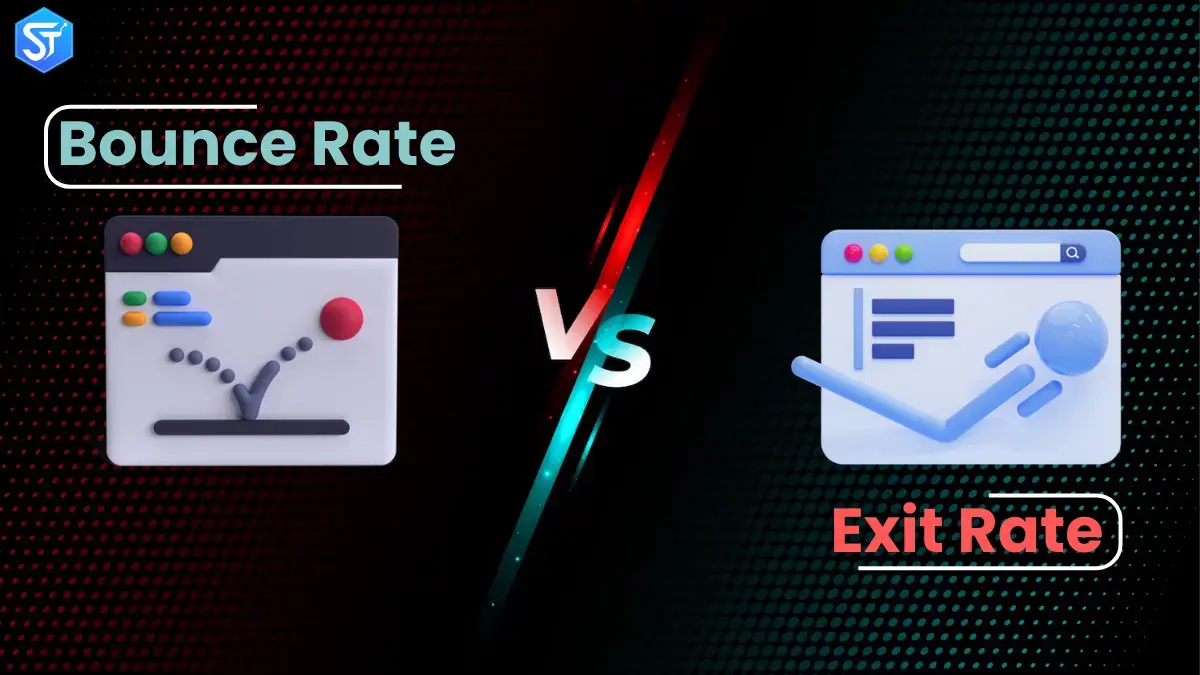
Understanding how users behave on your website plays a critical role in improving digital performance. When businesses aim to increase conversions, reduce churn, and increase engagement, they often turn to behavioral metrics for guidance. The two most commonly referenced metrics are bounce rate and exit rate — yet many marketers mistakenly think of them as the same thing. While both describe how users leave a website, each metric highlights a very different aspect of user behavior and engagement.
When you clearly understand bounce rate vs. exit rate, you get a better understanding of where users are losing interest, how well your pages are fulfilling visitors’ intent, and where your conversion funnels are leaking. Used correctly, these metrics help identify weak landing pages, broken journeys, and missed opportunities. However, to use them effectively, you should know what each metric tracks, what triggers it, and how it applies to different page types.
What is bounce rate?
Bounce rate measures the percentage of sessions where a user visits only one page and leaves without taking any further action. A bounce occurs when a visitor lands on a page and exits without clicking on links, navigating to another page, or triggering any interaction events.
For example, if an online store lands on the homepage and immediately leaves without browsing the products or menus, that session is considered a bounce. Bounce rate shows how many users are unable to engage beyond the page they visited.
Bounce Rate Formula:
Bounce Rate = Single-Page Sessions ÷ Total Sessions
Why is bounce rate important?
Bounce rate helps website owners understand how effectively their pages are capturing attention. A high bounce rate often indicates that visitors are not finding what they are expecting or are feeling motivated to explore further. Strong engagement typically leads users to browse multiple pages, interact with content, or take action.
Businesses use bounce rate insights in many ways. For example, ecommerce brands can analyze bounce rate to improve landing page messaging and product discovery. Similarly, a public organization can review bounce data to see if visitors are leaving soon after exploring educational resources.
What is exit rate?
Exit rate shows how often users leave a website after viewing a specific page. Unlike bounce rate, exit rate applies to any page a user views – regardless of how many pages they visited before.
For example, a visitor might land on the homepage, browse several product pages, and then exit on a pricing page. That final page records an exit, not a bounce. While every bounce counts as an exit, not every exit qualifies as a bounce.
Exit rate formula:
Exit rate = Page exits ÷ page views
Why is exit rate important?
Exit rate helps identify where users are abandoning their journey. If a particular page consistently shows a high exit rate, it could indicate confusion, poor design, missing information, or a broken flow.
For example, if a product page shows a much higher exit rate than other pages, this could be due to trust signals such as price clarity, meta verification, or usability issues. Website owners can use this data to improve page structure, content clarity, and conversion paths.
What is the difference between bounce rate and exit rate?
Let’s simplify the difference:
- Bounce rate: The proportion of sessions in which users interact only once.
- Exit rate: The proportion of times users leave a page.
The main difference lies in session depth. Bounce rate applies only to entry pages and measures sessions without any further interaction. Exit rate applies to all pages and measures where sessions end.
In short:
- Bounces occur when users leave immediately after landing
- Exits occur whenever users exit, regardless of previous activity
All bounces are exits, but many exits are not bounces.
Example Scenario
Imagine a website with four pages:
Home page, product page, confirmation page, contact us page
Five user sessions occur:
- Monday: Visitor → Home page → Exit
- Tuesday: Visitor → Home page → Product page → Confirmation page → Exit
- Wednesday: Visitor → Home page → Product page → Exit
- Thursday: Visitor → Contact us page → Exit
- Friday: Visitor → Confirmation page → Contact us page → Exit
Only Monday and Thursday are counted as bounces because users left after viewing only one page. All sessions include exits, but only two sessions include bounces.
This example shows why a high exit rate doesn’t always mean poor engagement, and why bounce rate alone doesn’t tell the whole story.
Read More: Top 8 Backlink Monitoring Tools For Smarter Link Building Campaigns
Reasons why people bounce from your site
Now that we understand bounce rate, let’s look at common reasons why visitors leave without engaging.
UX Issues
Poor user experience drives visitors away quickly. Slow navigation, cluttered layouts, poor accessibility, and long load times frustrate users. Google’s Page Experience updates highlight the importance of usability, speed, and clarity.
The page satisfies the user’s intent
Sometimes users bounce because the page fully answers their question. For example, a well-written blog post can provide all the information a visitor needs. In these cases, internal links and suggested content can encourage further exploration.
Technical errors
Broken links, server errors, and failed page loads drive visitors away immediately. Regular technical audits help identify these issues and fix them before they impact engagement.
Low-quality content
Poor, unclear, or irrelevant content causes visitors to lose interest quickly. Pages should match search intent, deliver value, and be easy to read.
Misleading titles and descriptions
When headlines or meta descriptions promise something that the page doesn’t deliver, users leave immediately. Clear, honest communication builds trust and reduces unnecessary bounces.
Recommended to Read: Best Ecommerce SEO Agencies To Boost Sales & Scale Your Business
How do you reduce bounce rates?
If a page is showing a high bounce rate but should be guiding users deeper into the funnel, you need to investigate and optimize.
Identify why users leave
Common reasons include:
- Distracting elements like auto-play media or invasive pop-ups
- Slow loading times, especially on mobile
- Confusing layouts or poor visual hierarchy
- Dead-end pages with no clear next step
Give users a reason to continue
Just fixing design issues isn’t enough. You should also improve the funnel flow. Pages with traditionally high exit rates – such as order confirmation pages – can also encourage more engagement through related products, content suggestions, or loyalty offers.
Use behavioral-tracking tools
Heatmaps, session recordings, and live-tracking tools show where users focus, scroll, and click. Platforms like Hotjar, Inspectlet, and Fullstory help uncover hidden friction points.
Conclusion
Understanding the difference between bounce rate and exit rate helps businesses improve the user journey and reduce friction on websites. Bounce rate shows how well landing pages engage visitors, while exit rate shows where users drop off during their journey. Each metric tells a unique story when analyzed properly.
By tracking these metrics in GA4, segmenting by traffic source or page type, and implementing focused optimization strategies, businesses can reduce unnecessary drop-offs. Improving speed, refining messaging, and simplifying navigation all contribute to better engagement.
Together, bounce rate and exit rate provide valuable insight into user behavior. When used wisely, they help align experience, performance, and conversions.
Continue Reading: List of Google Offices in India: Locations & Ultimate Details
FAQs:
Q1. What is the main difference between exit rate and bounce rate?
Bounce rate tracks single-page sessions, while exit rate shows how often users leave a specific page.
Q2. Is a high bounce rate always bad?
No. Informational pages can naturally have a high bounce rate if they fully answer a user’s questions.
Q3. What is a good exit rate for a website?
It depends on the page type, but content pages usually perform well between 20% and 40%.
Q4. How can I reduce the bounce rate on my site?
Improve page relevance, strengthen internal links, and optimize loading speed.
Q5. How can I check bounce rate and exit rate in WordPress?
Analytics tools like SlimStat Analytics allow you to view both metrics directly from your WordPress dashboard.